Run the shift, the crews and the paperwork from one place.
DutyCommand is software for police agencies. It schedules your rotation, shows the whole department who's working and who's off, handles time off and overtime by your rules, and keeps training, evaluations, the fleet, professional standards, early intervention and use of force in the same system your people already sign in to. A public dashboard shows your community the numbers you choose to publish.
One system in place of the separate scheduling program, internal affairs database, early warning system, training records site, paper vehicle checklists and spreadsheets most agencies juggle today.
Built by a working patrol sergeant, around how a small department actually runs.
See it working
These are real screens from DutyCommand, filled with made-up people at a made-up agency.
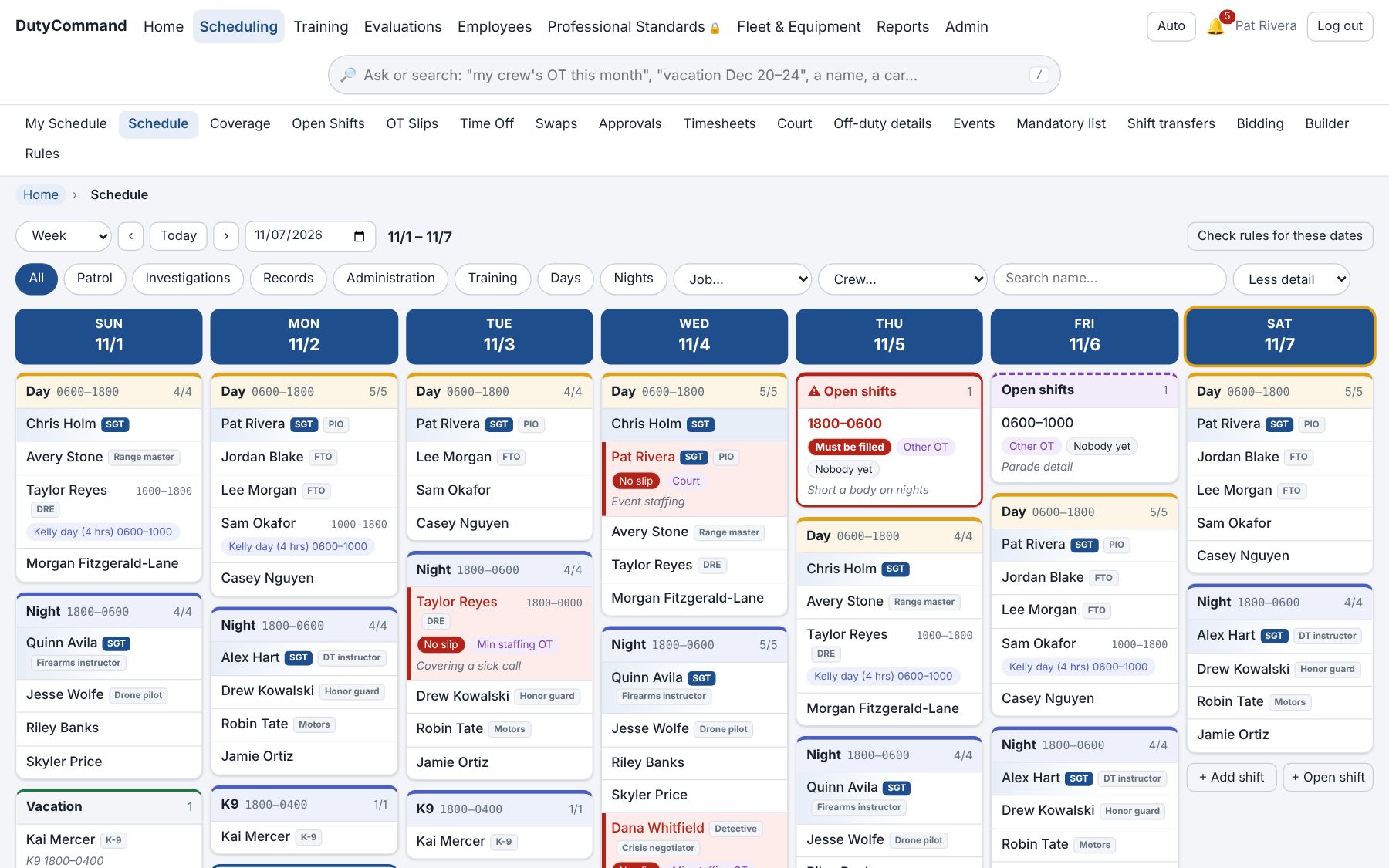
The whole department by crew, and everyone can see it. Who's off shows as "Off" without the reason. Open shifts are flagged; tapping a day on your own schedule asks for time off, a change of hours, a meeting or court.
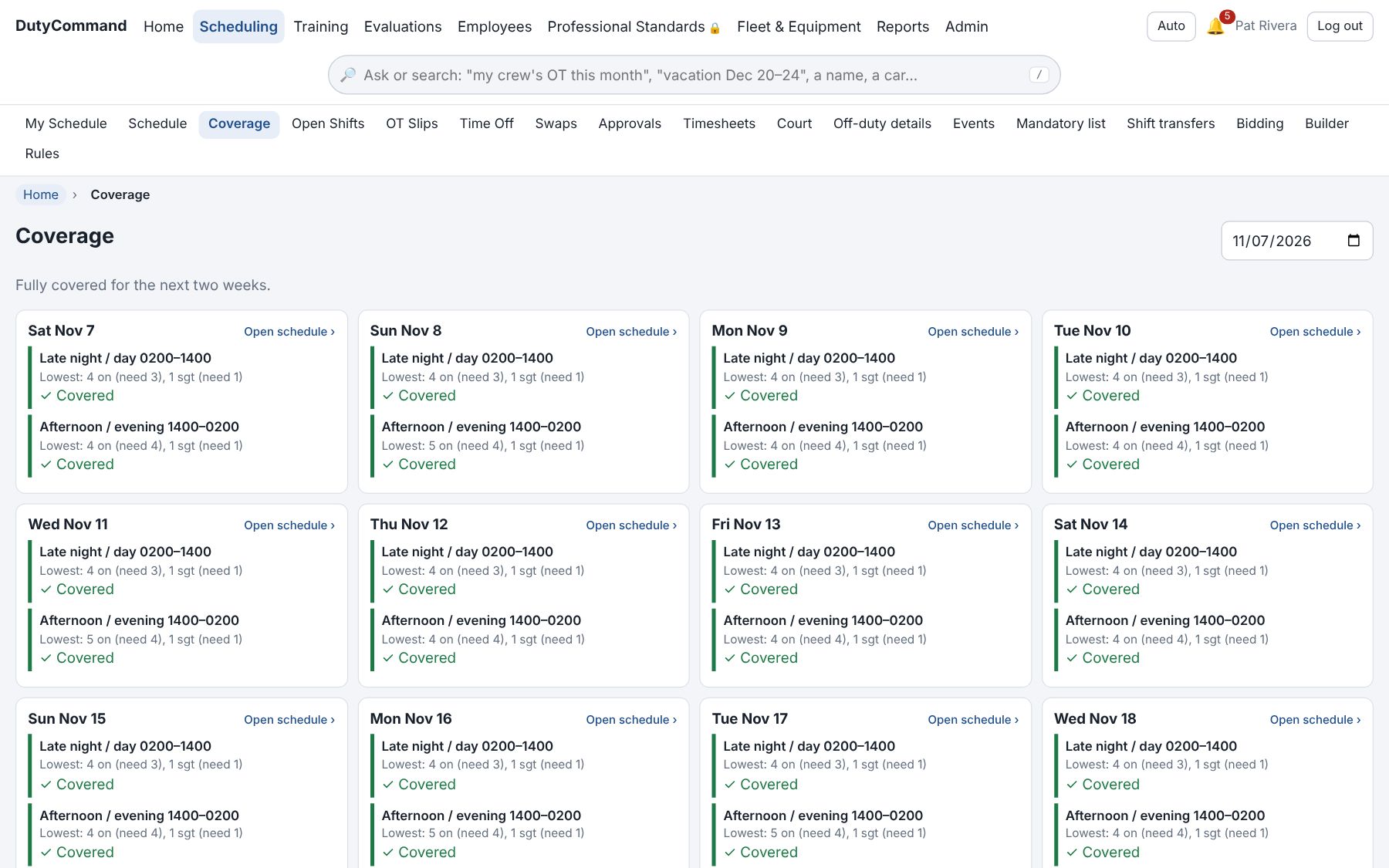
Minimum staffing checked for the next two weeks by time of day. Time off that meets your rules is approved on its own; the rest goes to a supervisor with the reason, and the direct supervisor gets a heads-up to acknowledge either way.
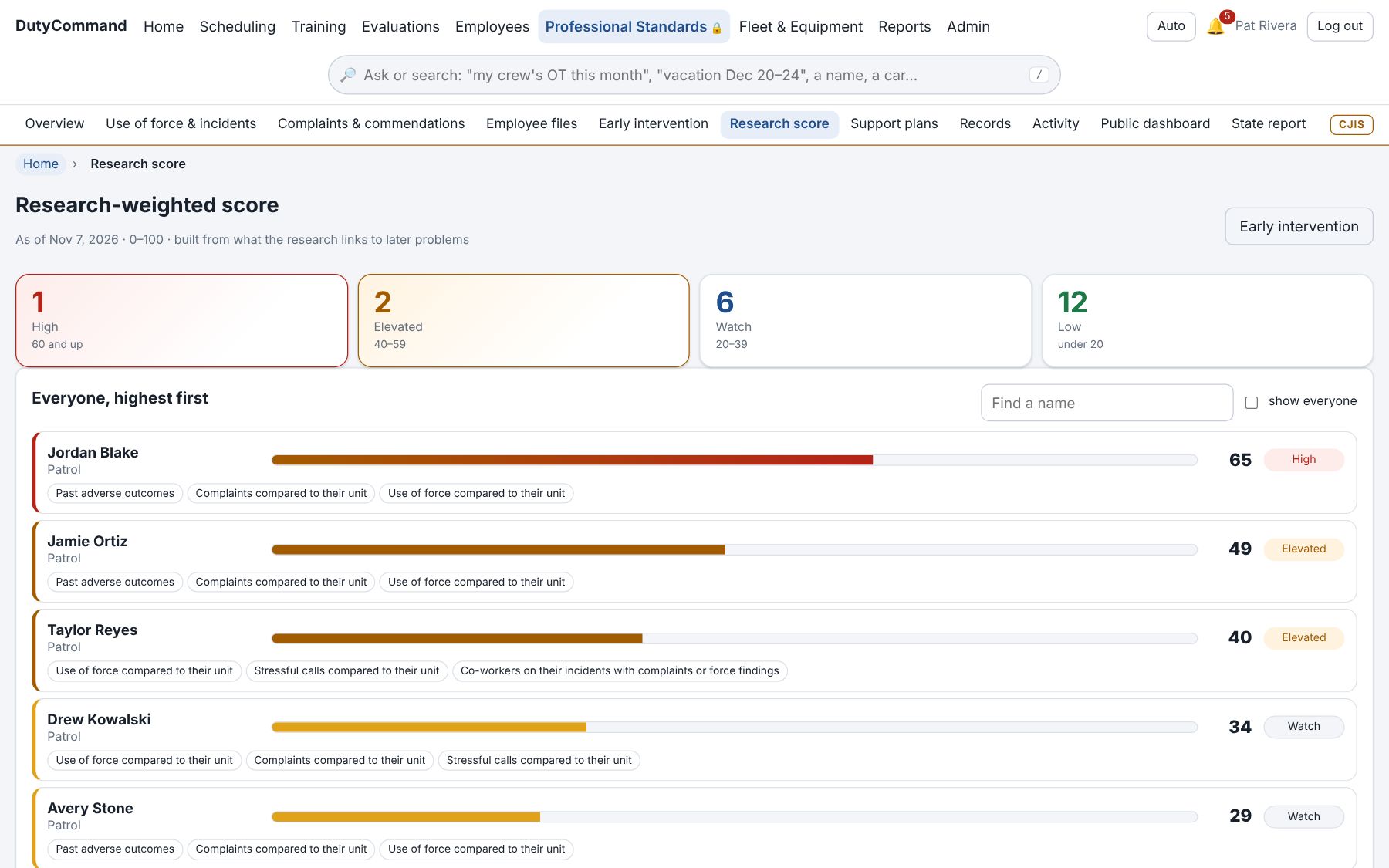
Early intervention two ways: point rules compared to peers, or a research-weighted score built from what published studies link to later problems: complaints, force, stressful calls, fatigue, claims, missed court. Every score shows its reasons, and a look-back report shows how it would have done on your own history.
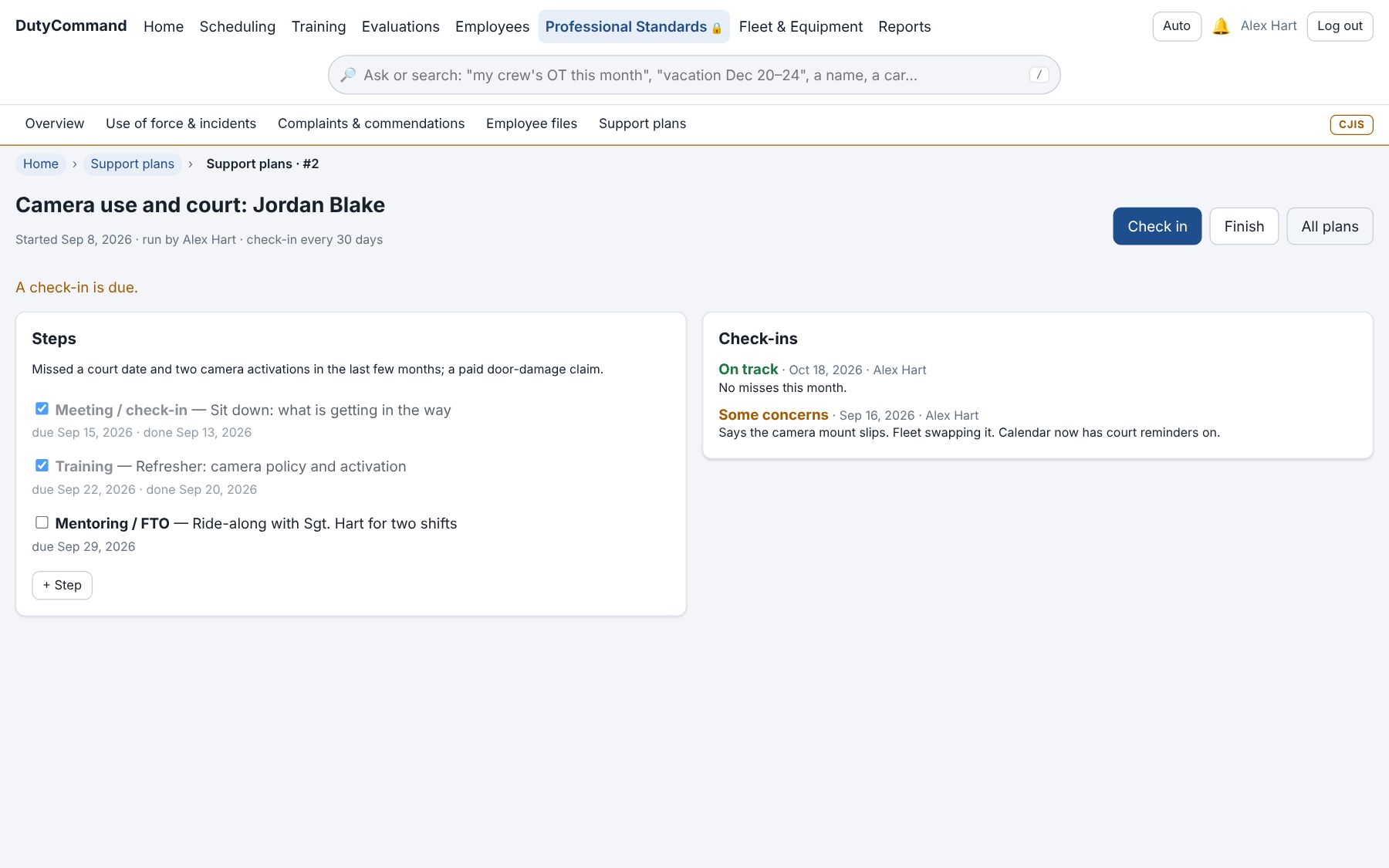
When someone needs help, a support plan: steps like EAP, peer support or a ride-along, check-ins on a schedule, and how it ended. Support, not discipline: the officer sees their plan, not the supervisor's notes.
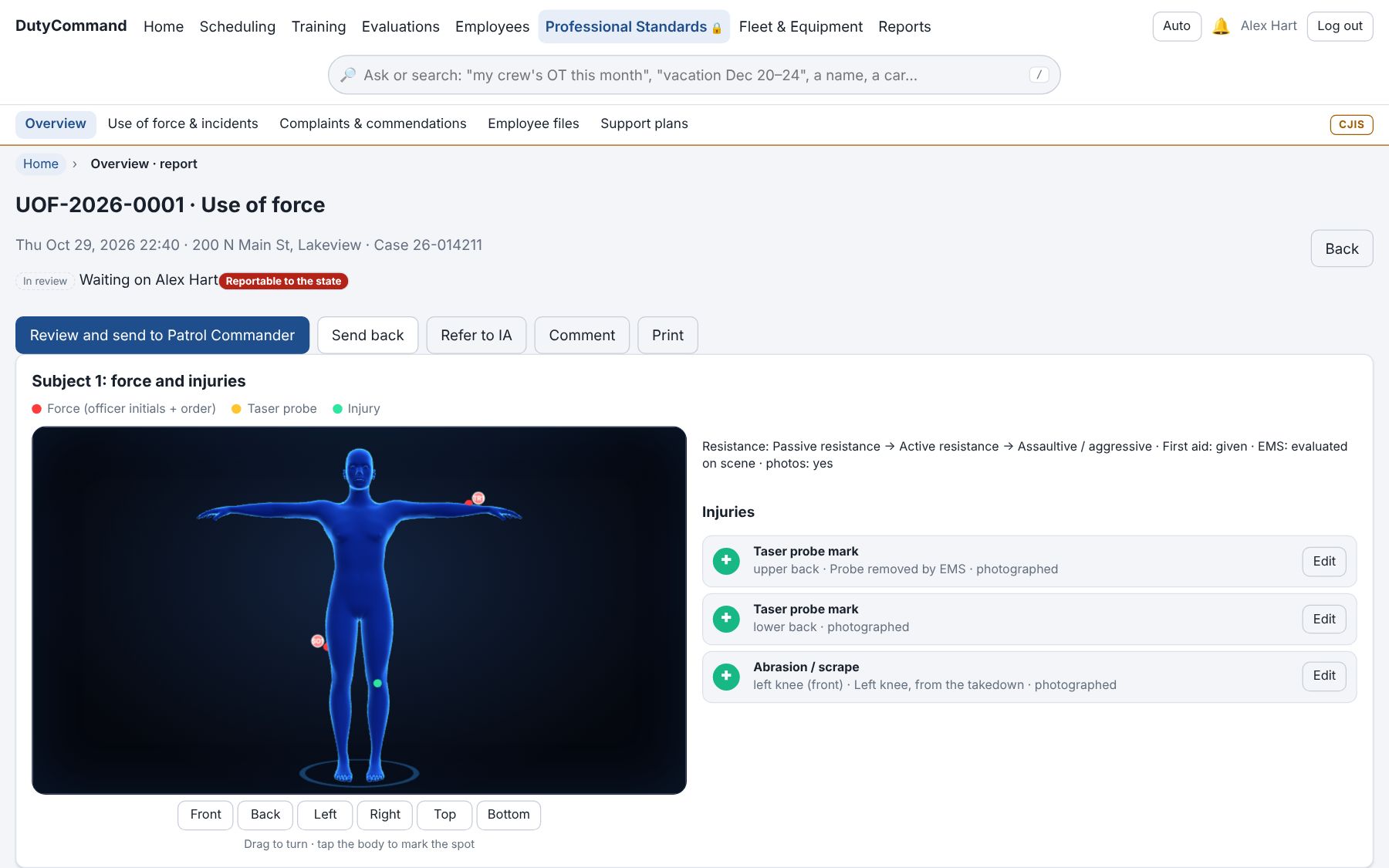
Each strike, probe and injury is marked on a 3D body. The report moves from sergeant to commander through review queues, with officer findings officers never see, and the state report built from it.
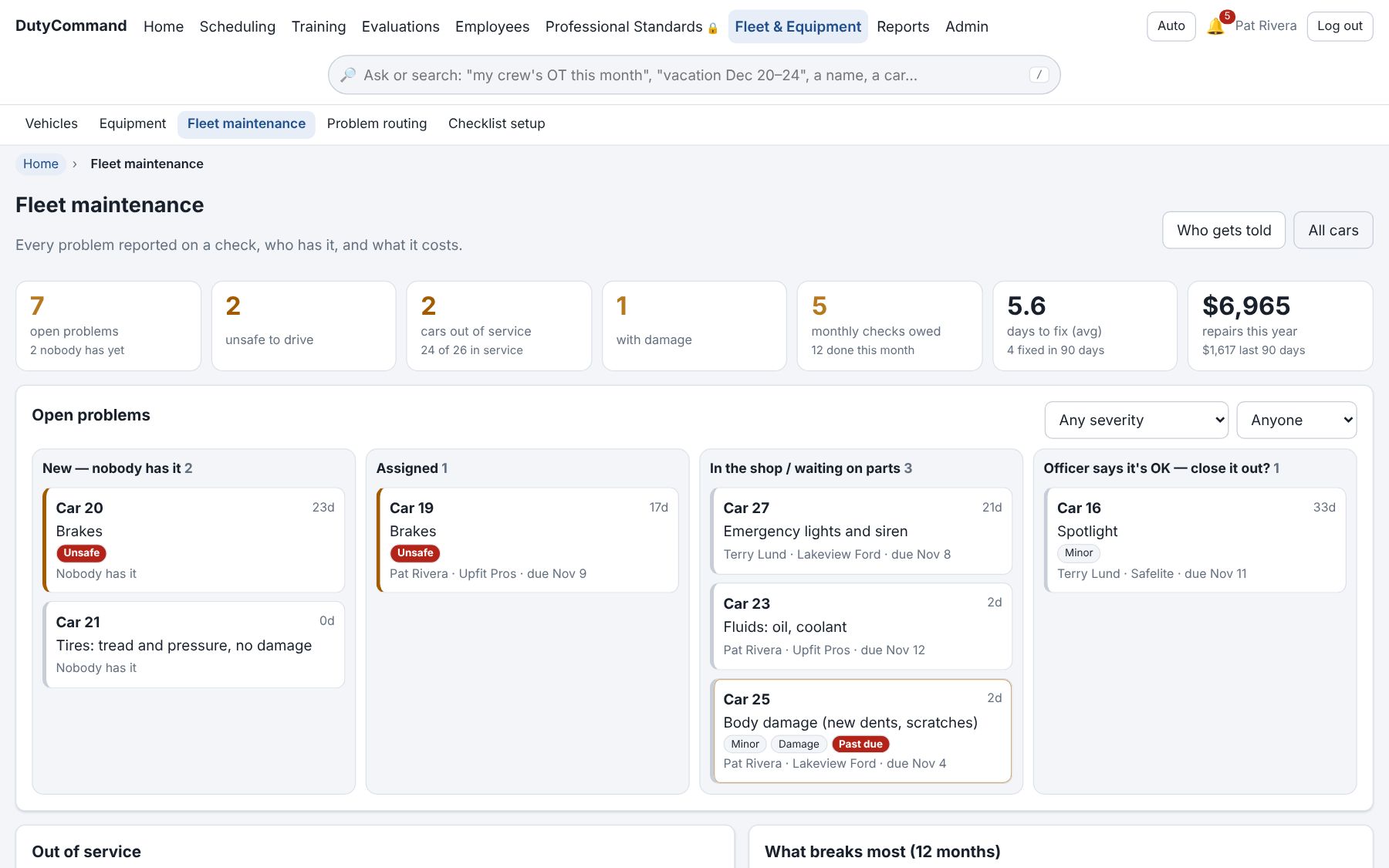
Problems found on vehicle checks go where your routing rules send them; unsafe cars come out of service on their own. Fleet works a board (new, assigned, in the shop, officer says it's OK) with costs and a trail of everything done.
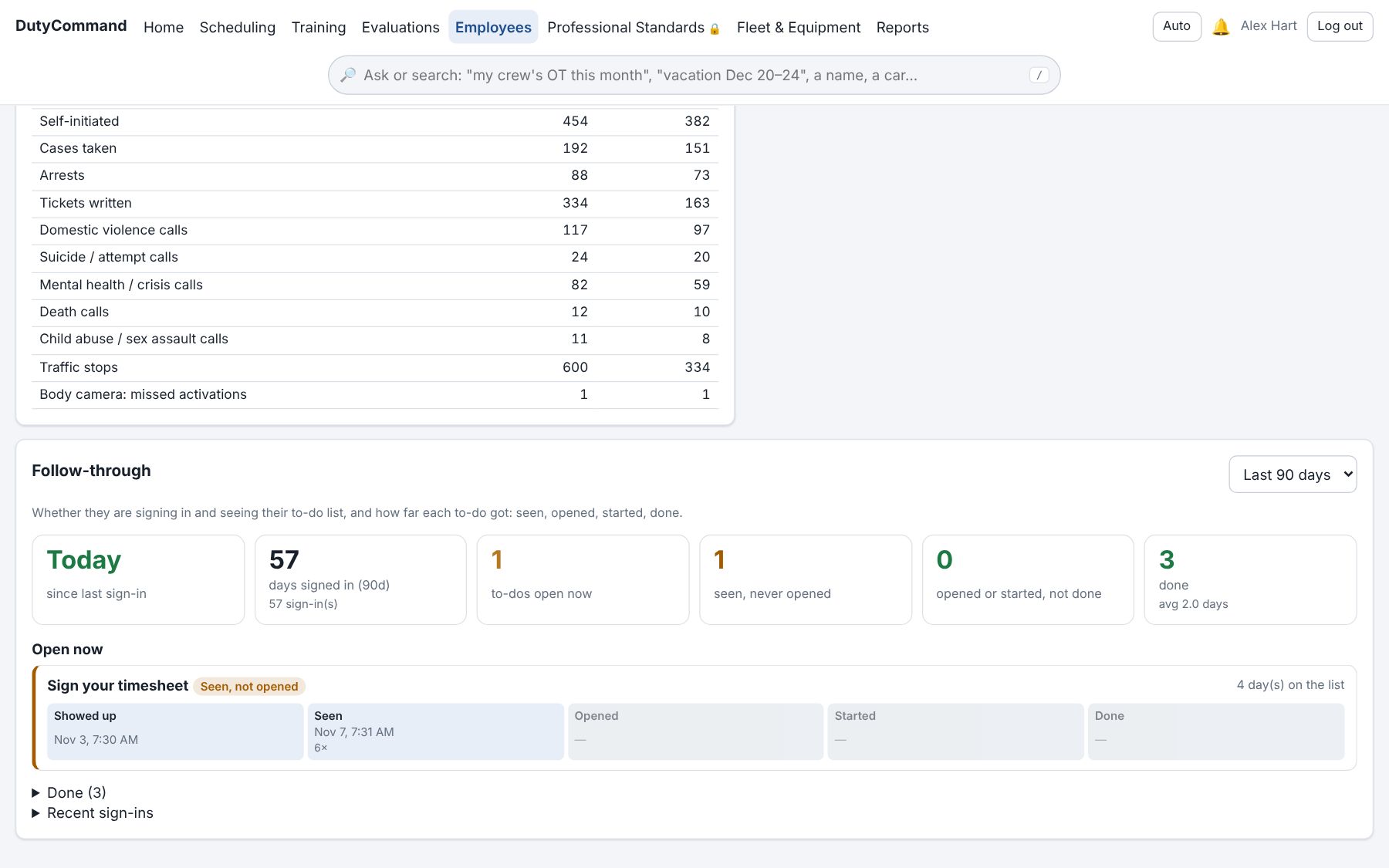
Every employee's file in one place: history, assignments, car and gear, training, evaluations and activity. Follow-through shows supervisors whether someone is signing in, opening their to-dos and finishing them.
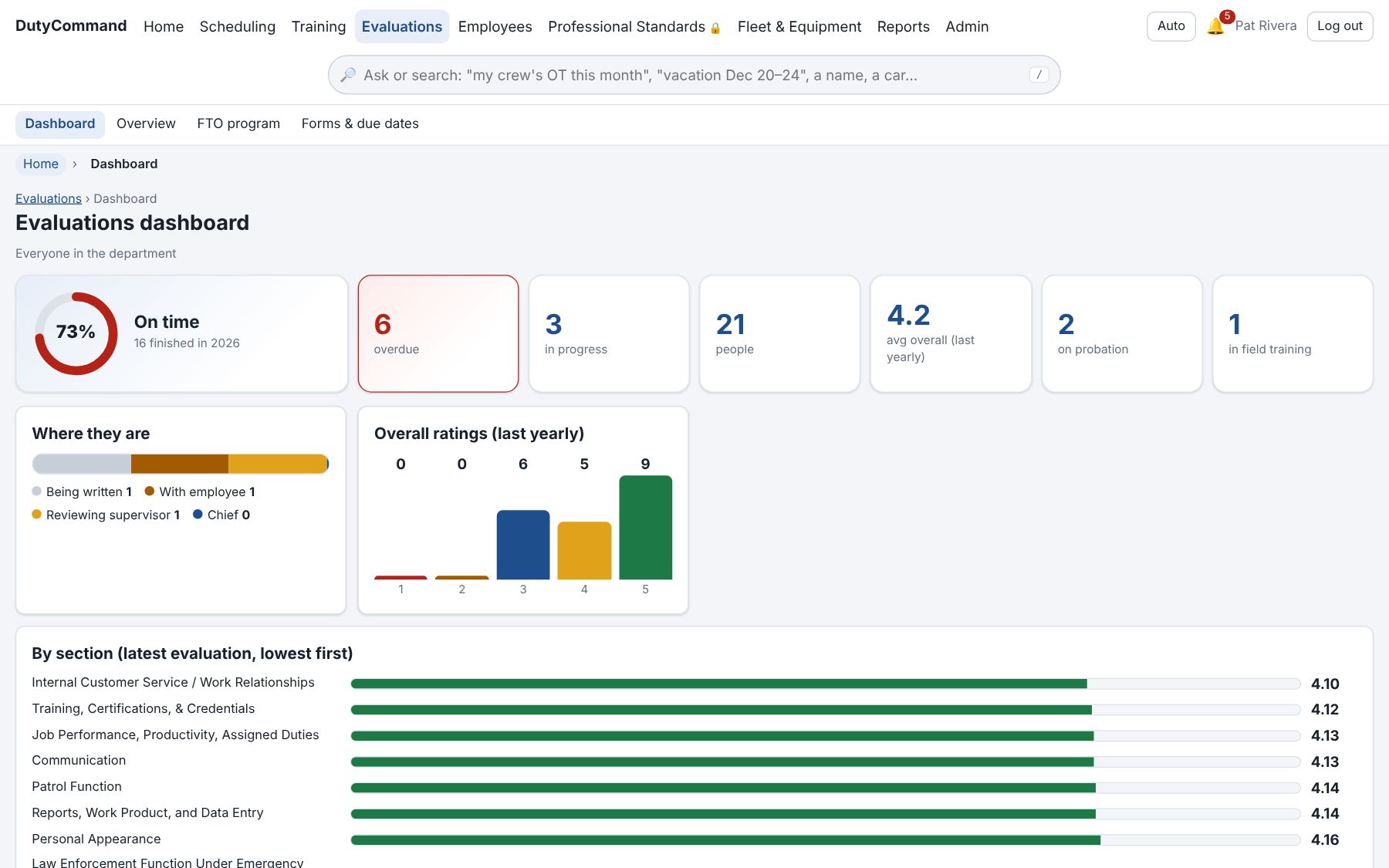
What's overdue, where each review is waiting, and how the team scores by section. Yearly, probationary and FTO daily observation reports on your own forms.
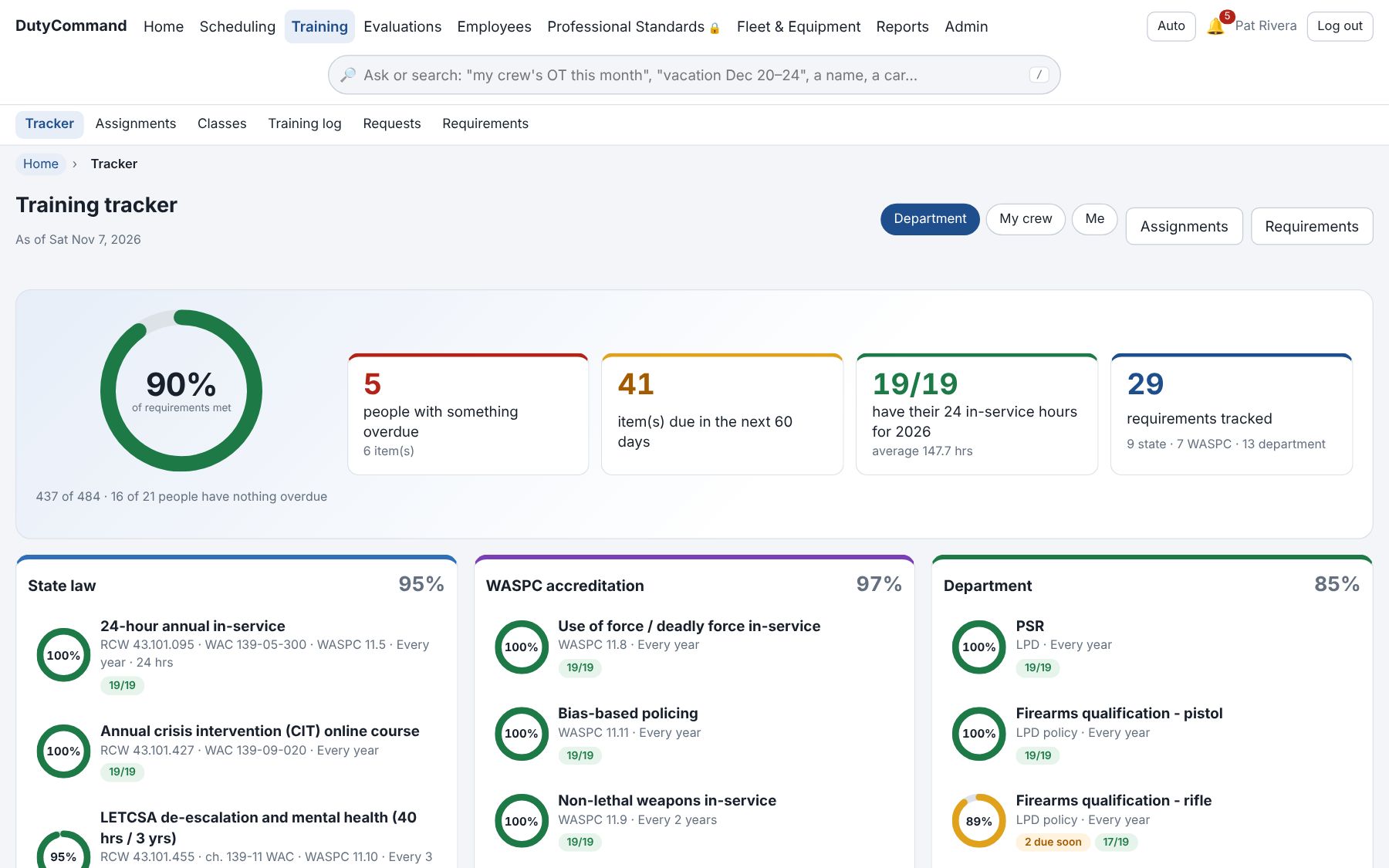
State law, accreditation and department requirements in one place: who is short, and what comes due next. Assignments, requests with approvals and receipts, and imports from your old system.
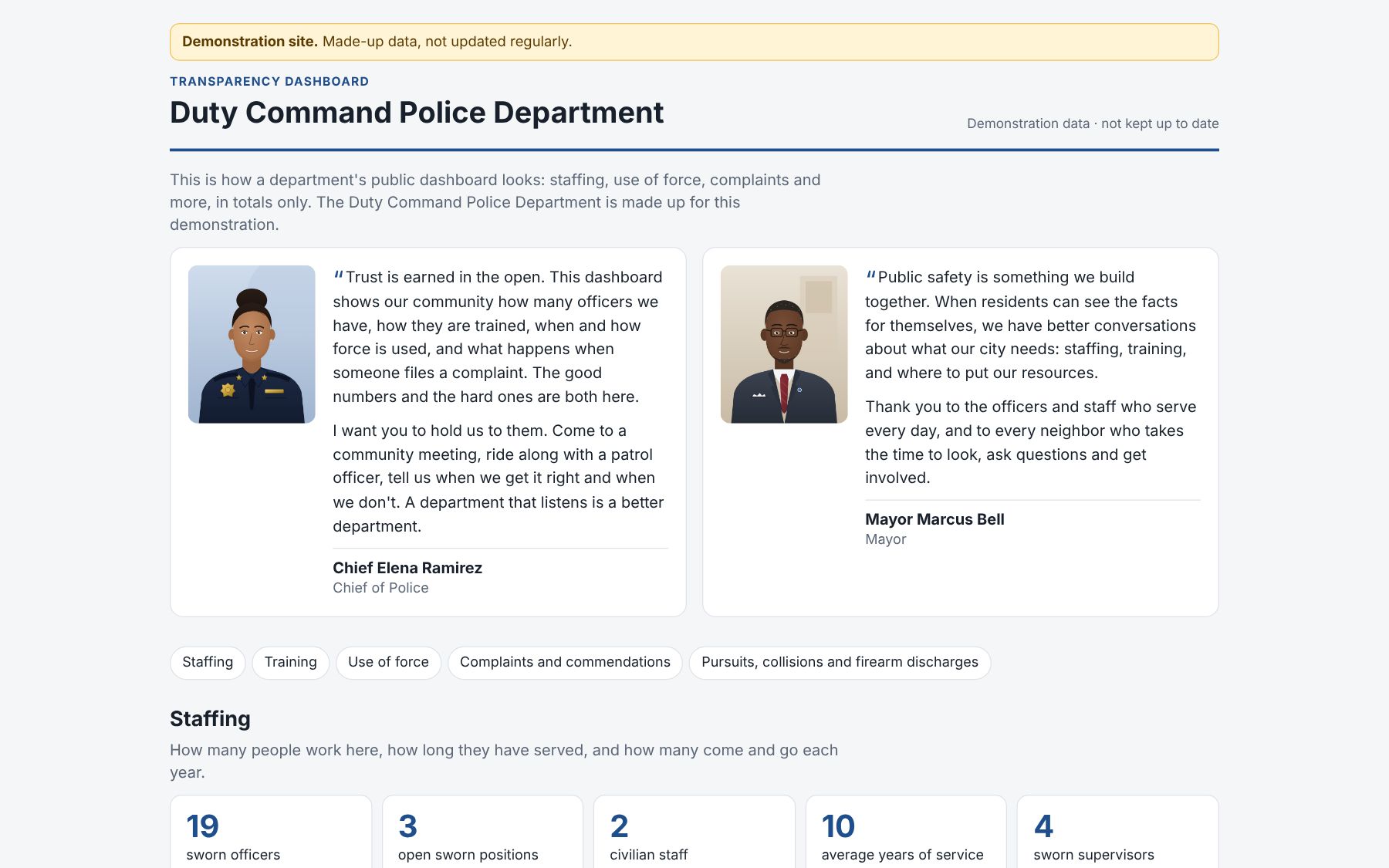
A page for your community at its own address: staffing, training, use of force, complaints and more, in totals only. You choose what to show; small counts are hidden so no one can be picked out. See the live demo.
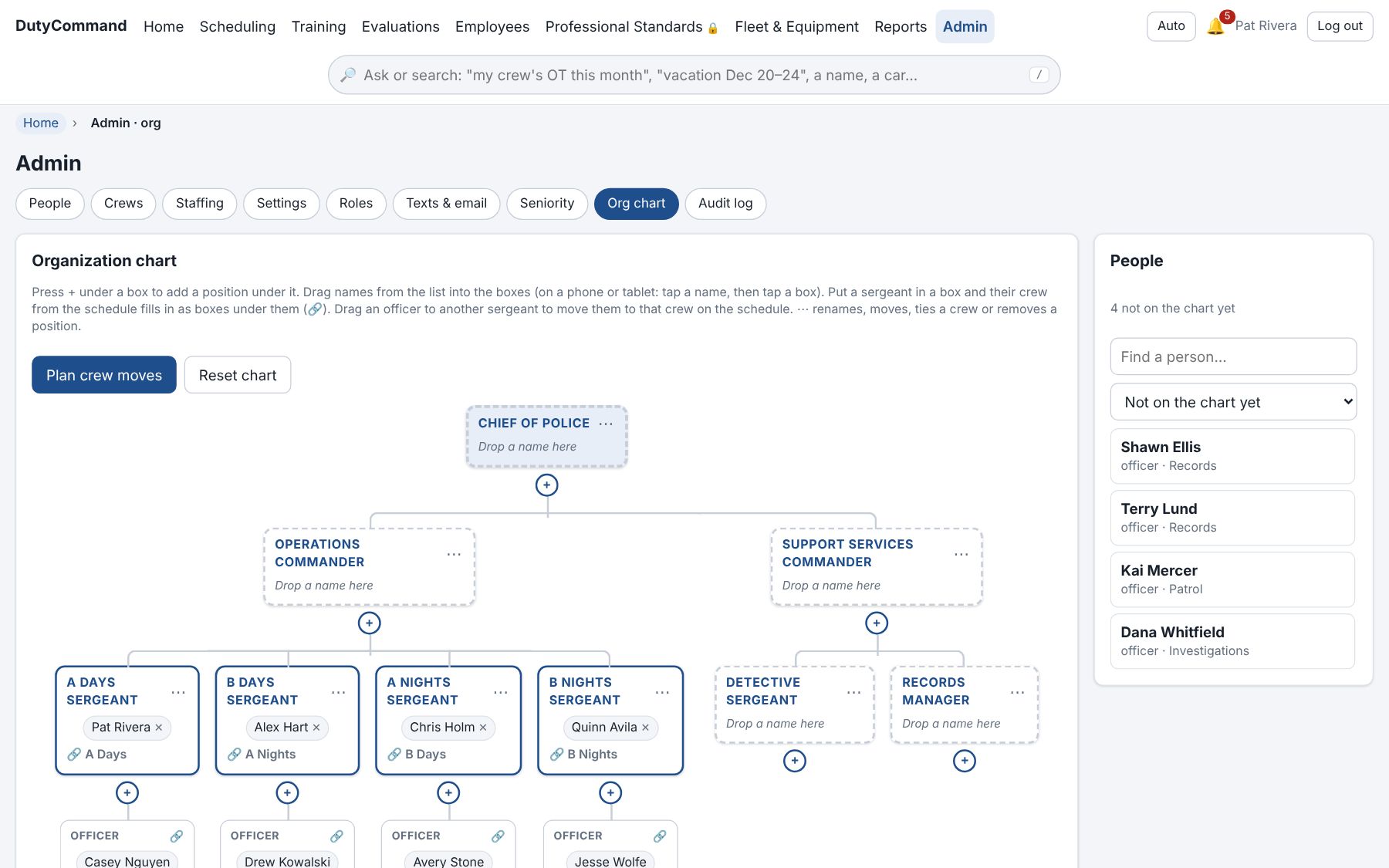
The org chart is tied to the schedule. Plan several crew moves at once and see what they do to staffing before they happen.
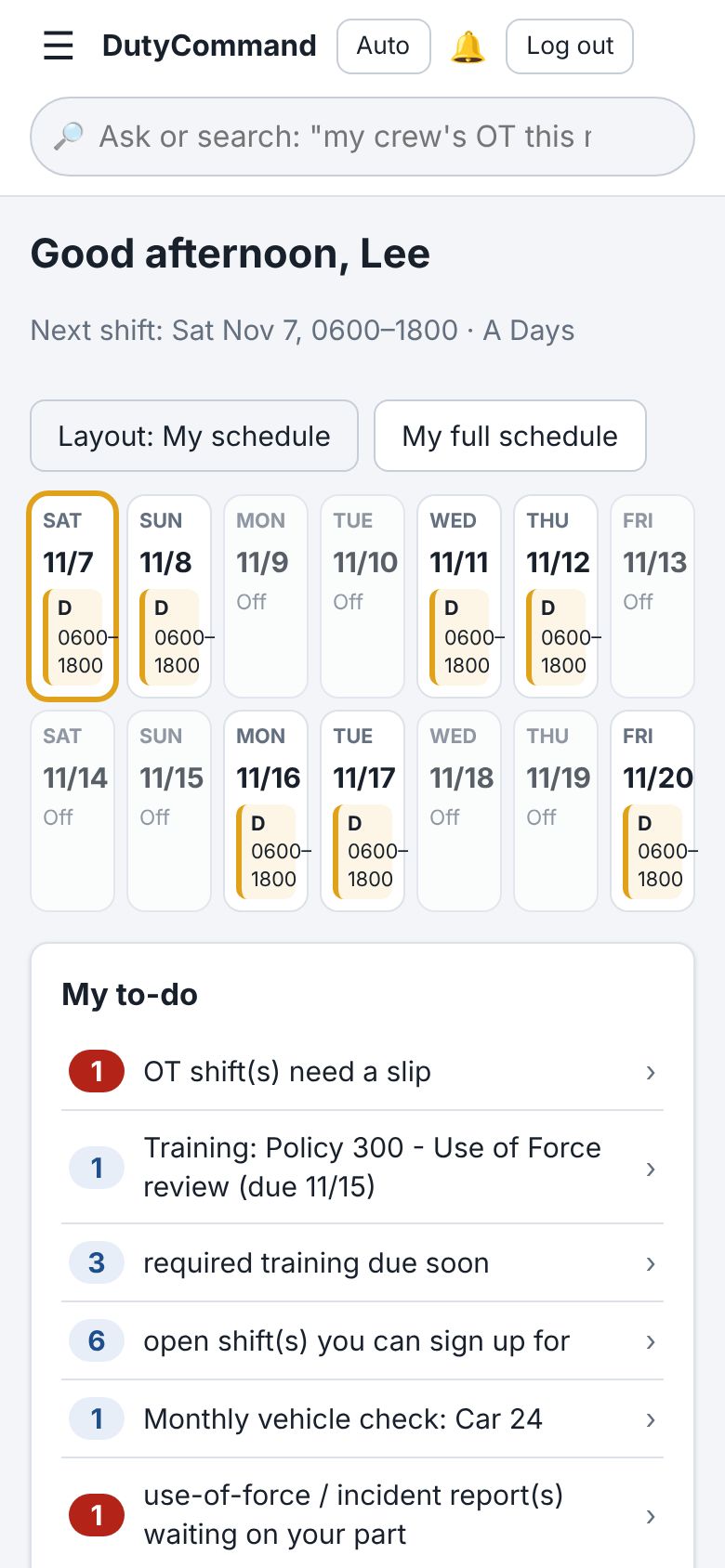
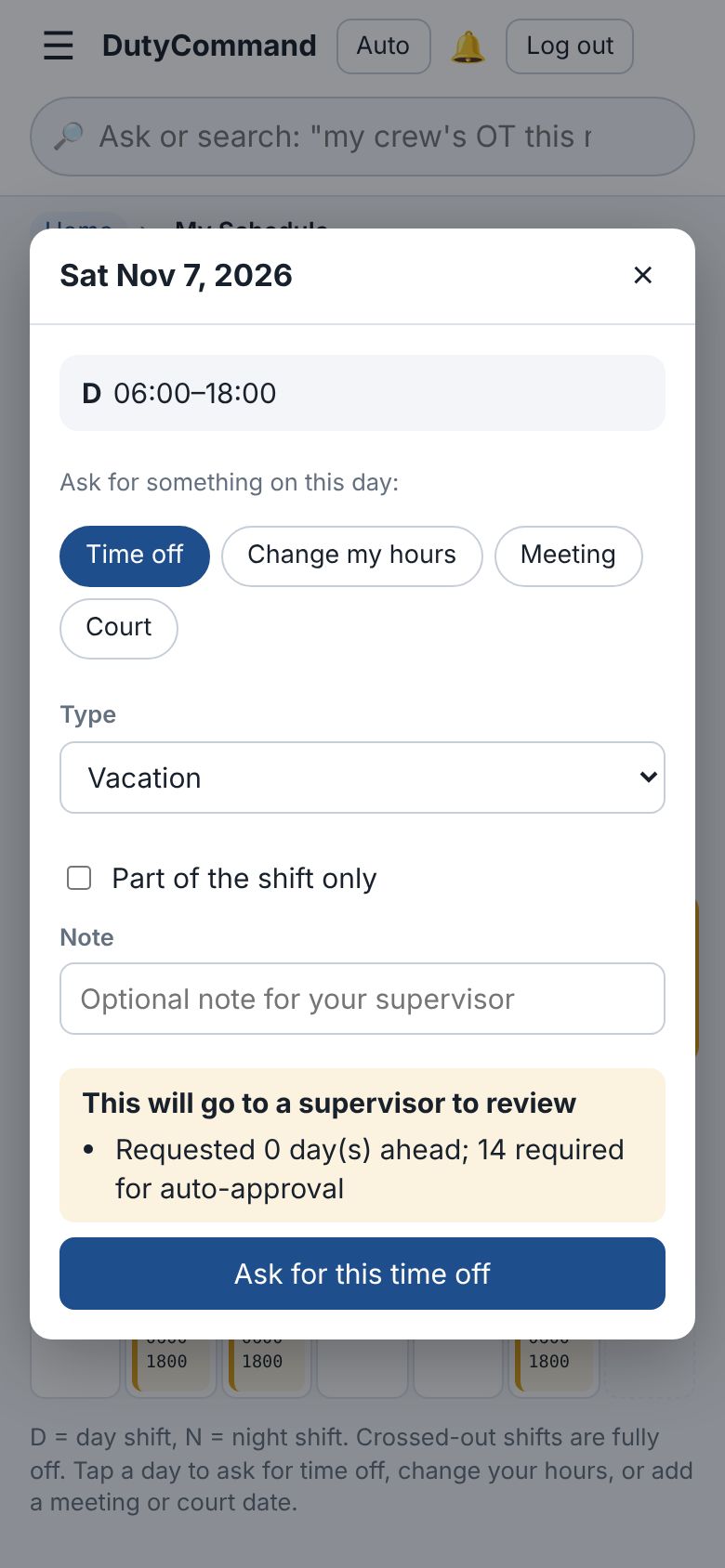
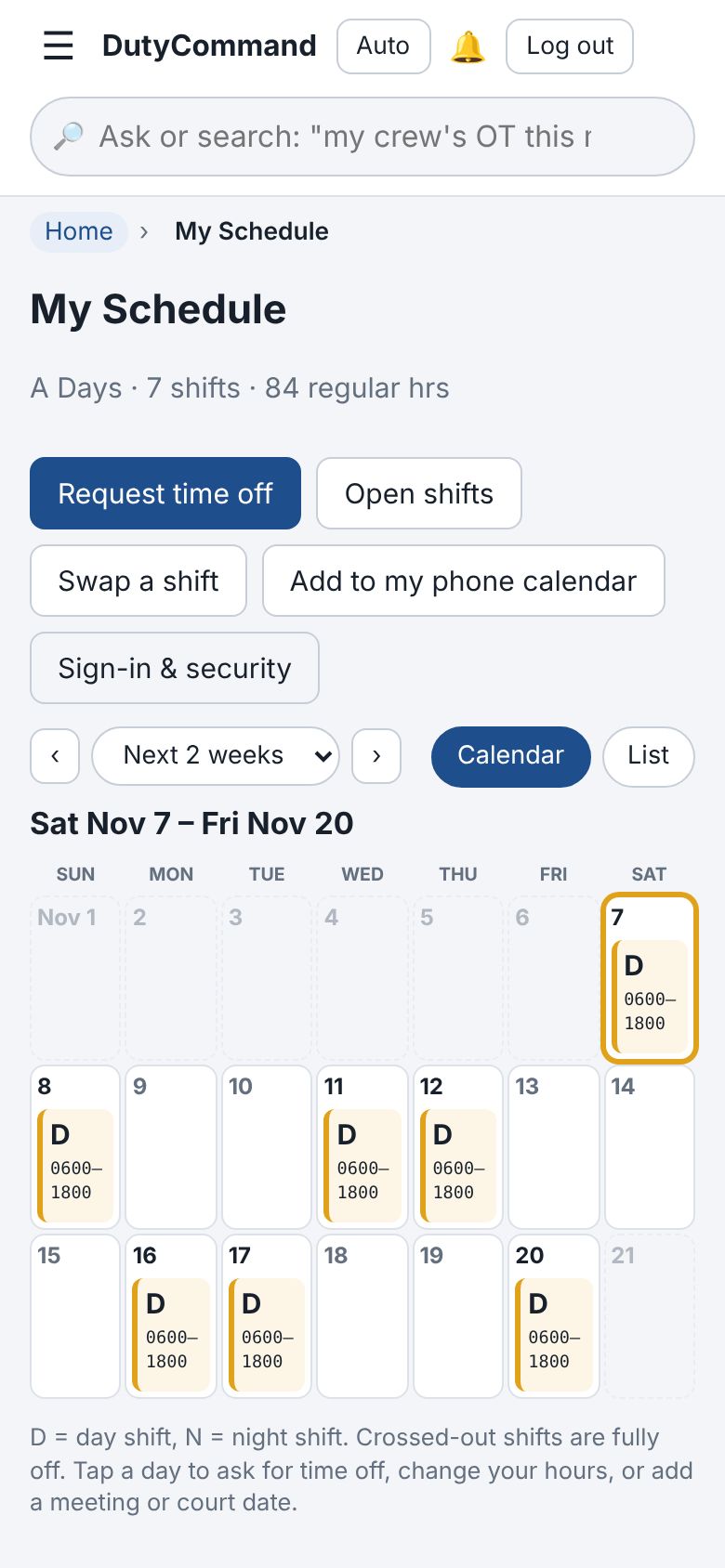
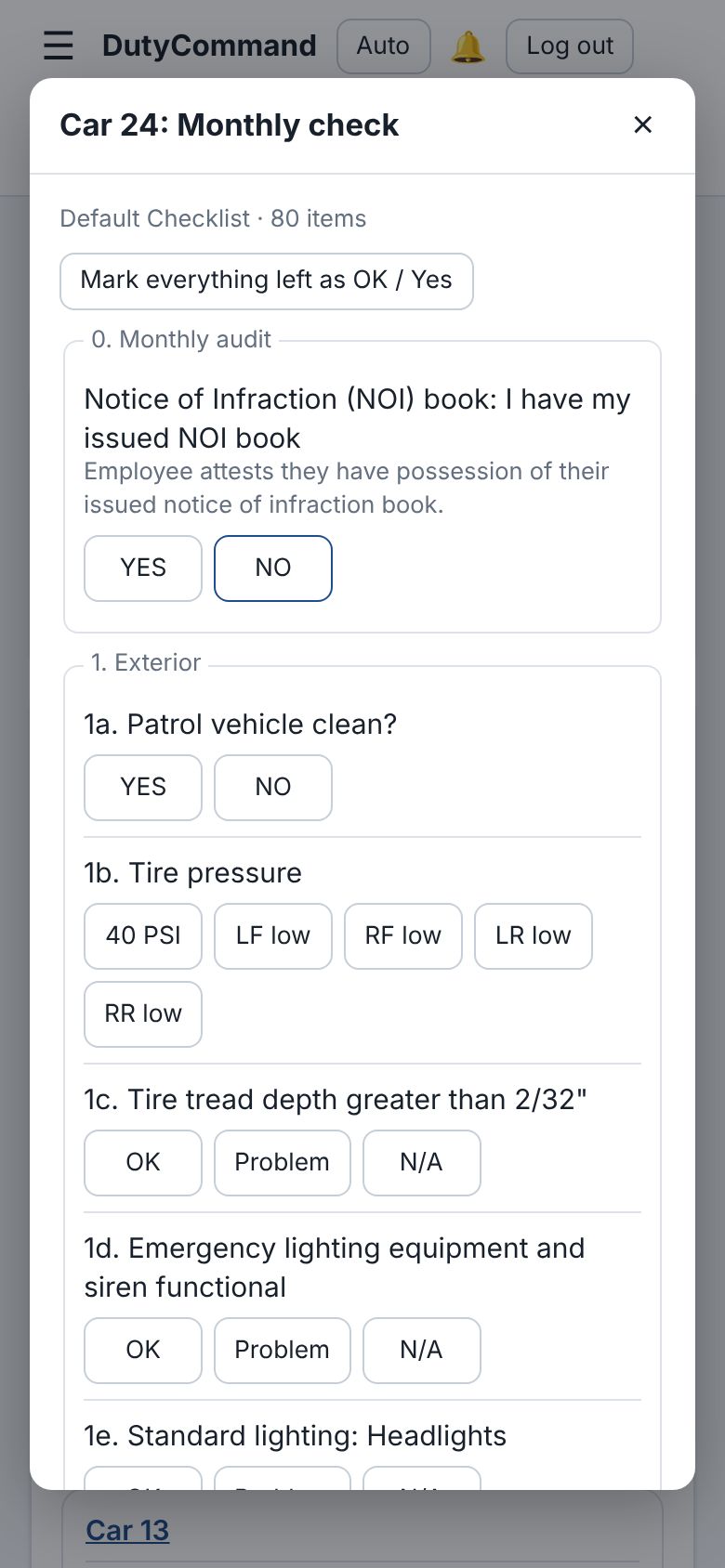
Officers use it from their own phones: their schedule, time off by tapping a day, swaps, open shifts and the vehicle check, with a camera button that reads VINs, serial numbers, odometers and receipts. Nothing to install from an app store.
Buy the parts you need
Scheduling is the base. Everything else is an add-on your administrator switches on when you are ready. Priced by the size of your agency, so a 12-person department isn't paying what a 200-person one does. Tick what interests you and it carries into the contact form.
Scheduling
The base- Rotations like Pitman 2-2-3, 4/10s or any pattern you set up, by crew and division, with a schedule everyone in the department can see
- Minimum staffing by time of day, short shifts flagged and posted as open shifts, a mandatory and callout list
- Time off, hour changes, meetings and court requested by tapping a day; approved on its own when it meets your rules (by job, if you like), with a heads-up to the direct supervisor to acknowledge
- Overtime sign-up and OT slips, swaps, timesheets, comp time and FLSA, court, off-duty details and events
- Shift and vacation bidding by seniority, and shift transfer lists
- Hours, rest and fatigue limits checked before anyone is scheduled past them
- Email, text and phone alerts, a to-do list on everyone's home page, and a calendar feed for each person's phone
Your agency's data stays your agency's
- Walled off from other agencies
- Each agency has its own database with its own login, its own app and its own web address. Nothing is shared or visible between agencies.
- No criminal justice information
- DutyCommand holds personnel and operations data. Criminal history and report narratives stay on your agency's own CJIS systems; DutyCommand only holds a case number to point to them.
- Locked down
- https everywhere, two-step sign-in, lockout after wrong passwords, a strict browser security policy, a firewall, and security updates installed daily.
- Backed up
- Every agency's database is backed up nightly and kept for two weeks.
- Photos stay with you
- The camera button reads photos on DutyCommand's own server, not an outside service, and deletes them right after.
- Your rules, your address
- Your people sign in at your agency's address, like yourcity.dutycommand.com. Divisions, crews, forms, leave types, approval rules and what's public are all set in your own admin pages. We host it for you; other hosting arrangements are available on request.
Talk to us
Tell us a little about your agency and what you are looking at. We will get back to you to set up a walkthrough.
Please don't include case details or anything from a report in this form.